
Your agent does some tasks every day, and your team has its own way of doing them. There are steps, a format and checks before sign-off.
A cheaper model doesn't know any of that, so it skips steps or gets the format wrong. Someone has to redo the work, so the task stays on your most expensive model.
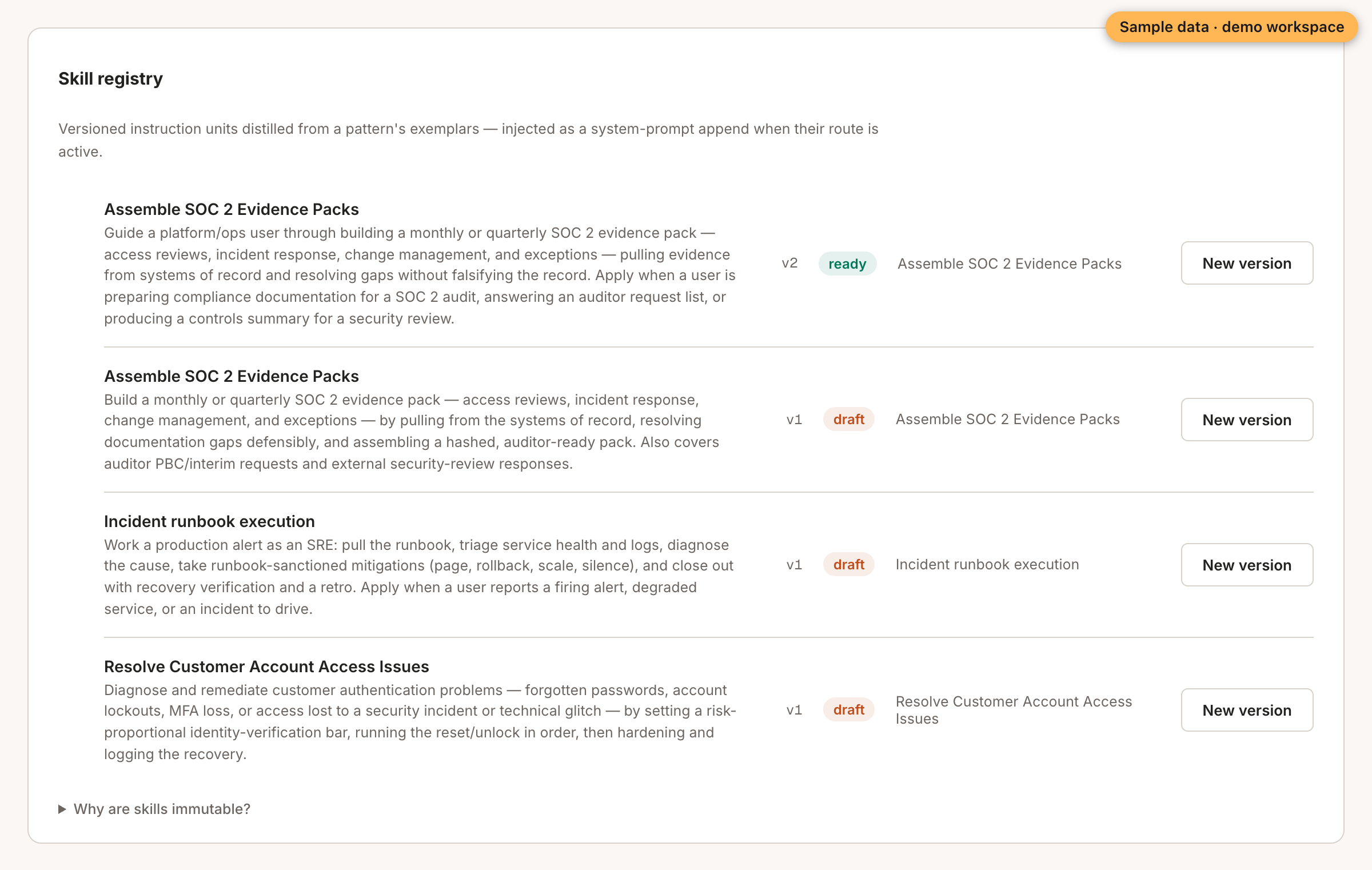
Operant writes your team's way down. For each task your agent repeats, it learns a skill from your past chats that didn't fail. A skill is a short file of instructions. When a cheaper model takes over, Operant adds the skill to every call. So the model knows how your team does it.
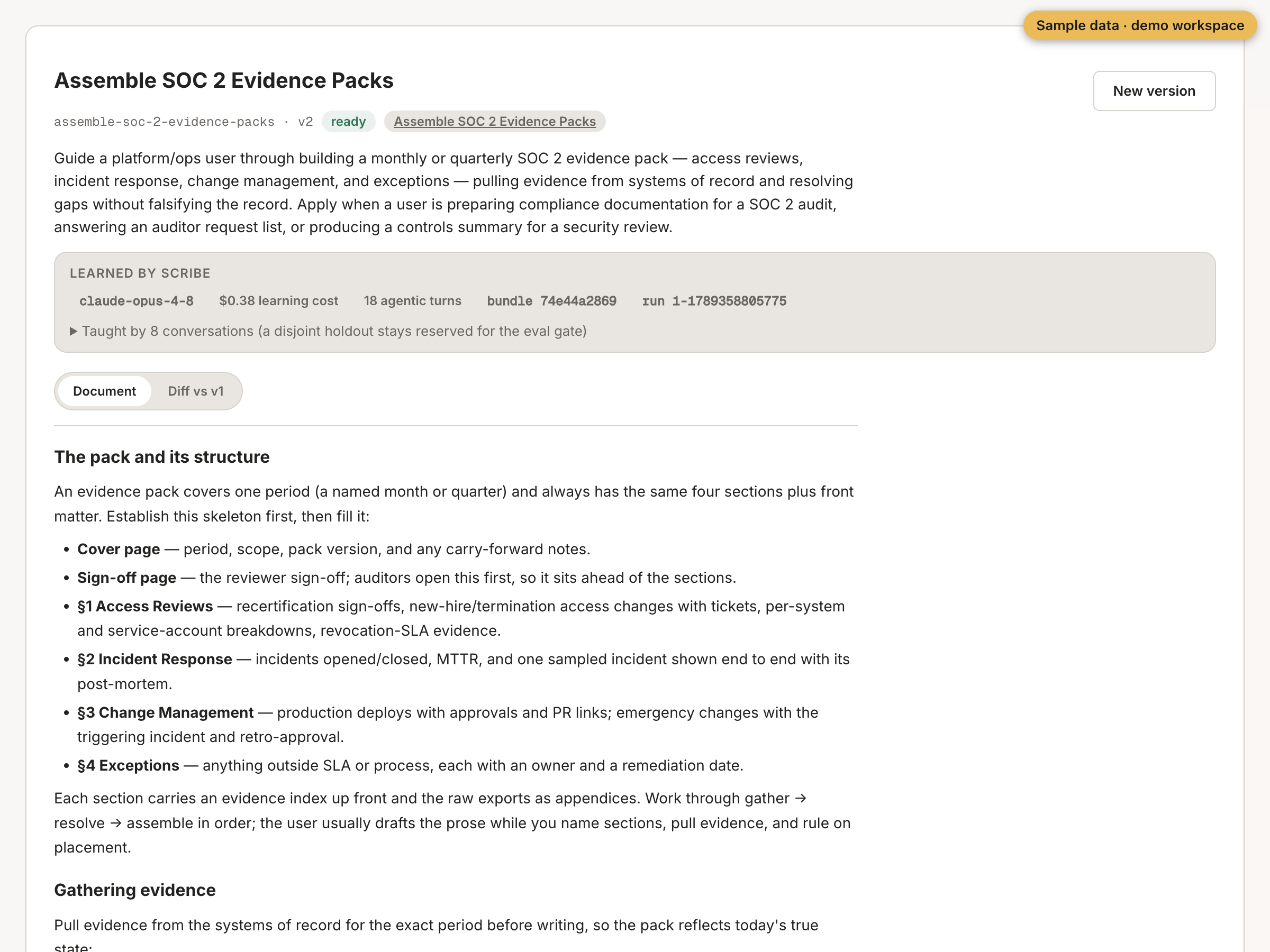
This post shows how a skill gets written and what a person checks. The screenshots come from the live console, with sample values from a demo workspace.
It starts from your best past chats
You pick a repeated task in the console and click "Learn skill". Operant then gathers a folder of evidence for that task:
- The name and description of the task.
- How many chats belong to it, and what they cost.
- The best example chats, with every turn, tool call and outcome.
Before anything is written, about a quarter of the chats are set aside. The skill never learns from them. Later, the test before any switch uses those chats first. A chat that taught the skill never grades it.
The same chats always give the same folder, byte for byte. The console shows a fingerprint of each folder, so you can find the exact input behind every version.
One agent session writes the draft
Operant doesn't send one giant request. It runs a single Claude Code session over the folder. That session can read the folder and write the draft, and nothing else. It has no shell and no other tools, and it gets 32 turns at most. The default model is claude-opus-4-8.
The method itself lives in a few starter skills that the session loads, not in the code. So you can read how it works, and change it.
It checks the shape, not the quality
Before it saves the draft, Operant checks its form:
- The name is 100 characters or fewer.
- The description is 500 characters or fewer.
- The body is at least 200 characters.
- The whole file is 16,000 characters or fewer, because it goes into every call.
- The body has at least two sections.
- There's no
TODO,TBDorFIXMEleft in it.
If a check fails, the failure goes back to the session for a fix, at most twice. Whether the skill is actually good is a question for the test that comes later.
Every draft is saved as a version
The draft is saved as a version that records where it came from. That includes the run, the folder fingerprint, the chats it read, the model, the cost and the number of turns.
A version never changes once it's saved. Any edit makes a new version. A person on your team reads the draft and marks it ready.
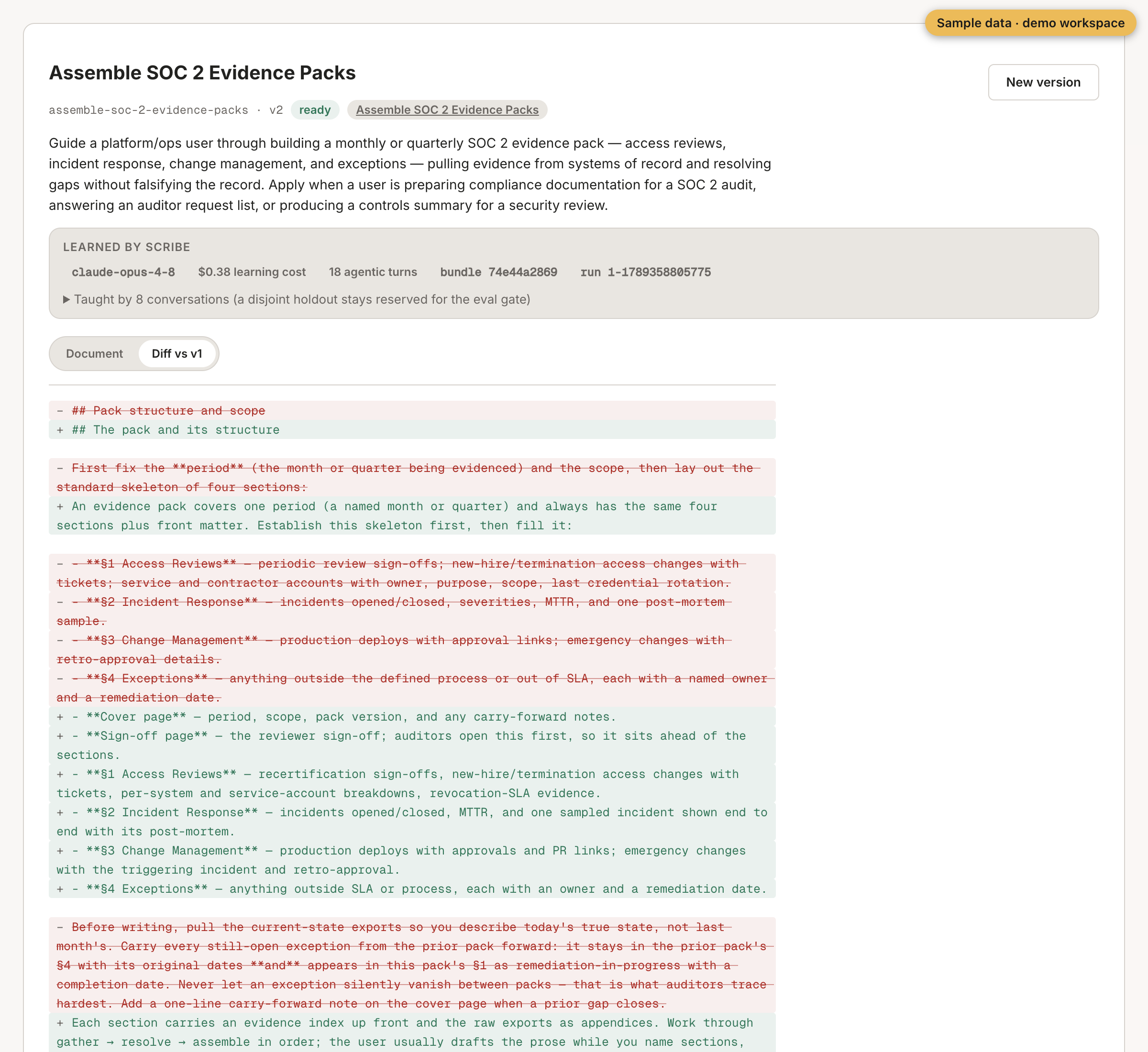
The "Diff vs v1" tab shows what changed between two versions, line by line.
A ready skill still moves nothing
Marking a skill ready doesn't change any traffic. The skill goes into a rule that runs without touching live calls. The rule only goes live after the skill passes the test on the set-aside chats. Then a person approves the switch.
In this sample, version 2 of one skill added a cover page and a sign-off page to an evidence pack. A person read the change in the diff and marked it ready.
This step has a limit. It checks only the shape of a skill, not whether the skill works. That's the job of the test before the switch.
So a cheaper model gets your team's way of working in writing, from your own best chats. And you read it before it's used.
Next, see how a skill gets tested before any switch.